CUSTOMER STORY/JETZERO

From aircraft model
to airline pitch.

How JetZero’s Chris Henderson uses Intangible to put a new aircraft in front of the people who need to see it.

JetZeroAerospace · Product visualization
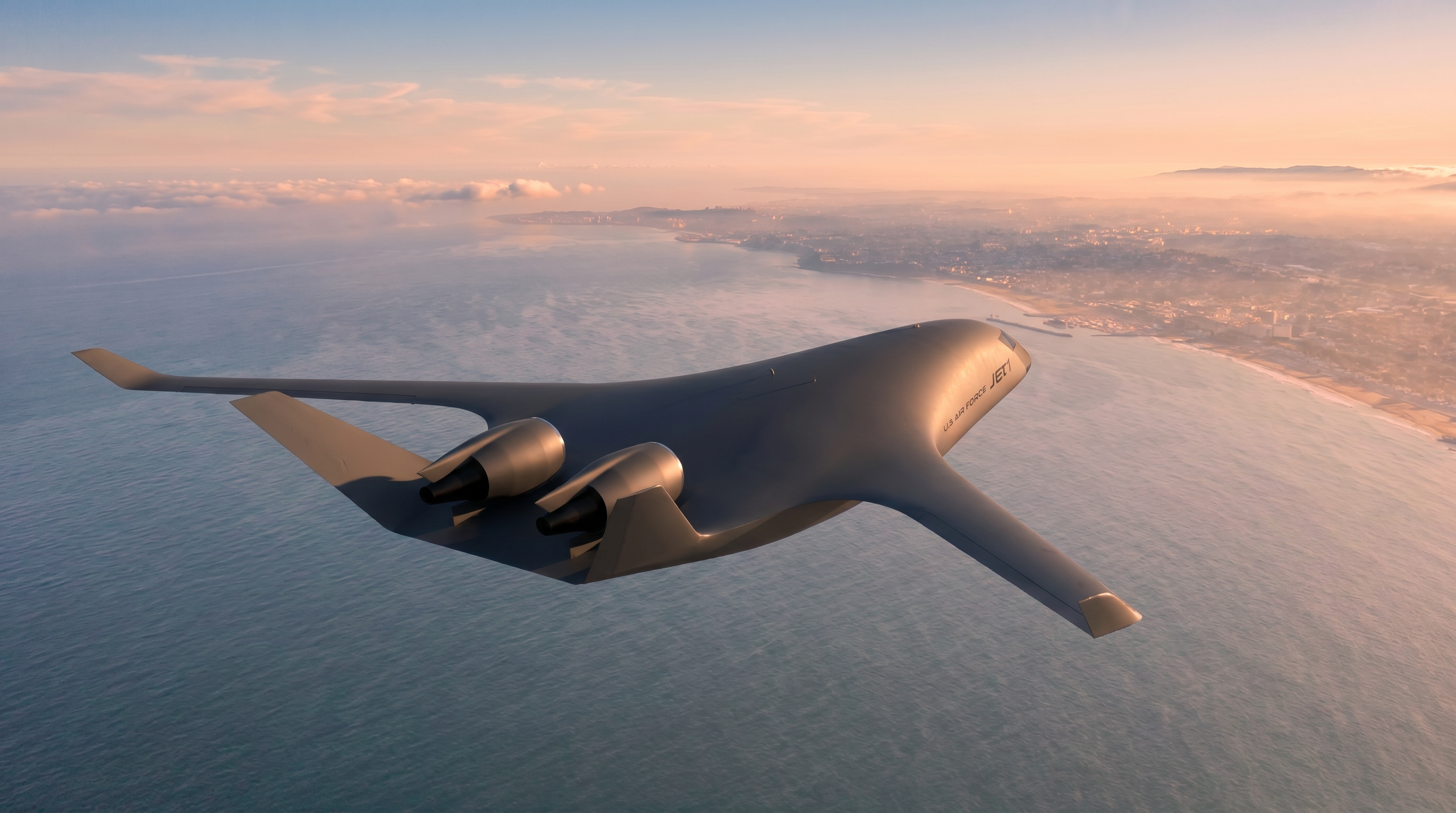
A rendering of JetZero’s Jet1 demonstrator flying above a coastline at sunset.
JetZero’s Jet1 demonstrator.Concept rendering · JetZero
THE CHALLENGE

Show an aircraft before anyone can walk out onto the tarmac and see it.

THE WORKFLOW

A prepared 3D model, a directed scene, and AI-generated surroundings.

THE CHANGE

Airport imagery in a couple of days.

Chris’s estimate for the Charles de Gaulle work, with models already available, versus weeks traditionally.

A future aircraft.
A very real audience.

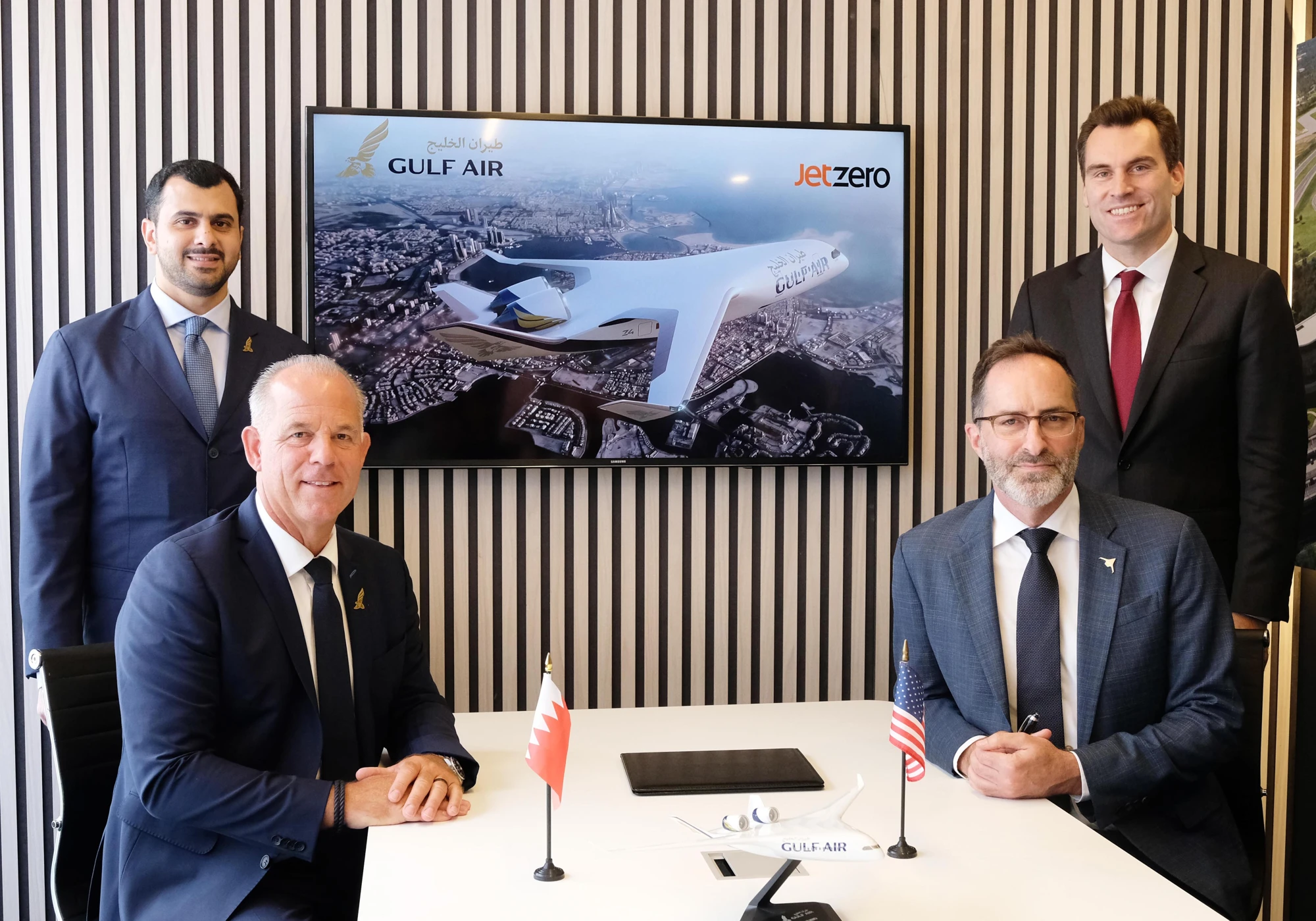
When Gulf Air signed a letter of intent with JetZero, an image of the aircraft appeared behind the signatories. Chris Henderson says he created that still with Intangible on a tight turnaround. An aircraft that people could not yet walk out onto the tarmac and see was already there in the room, carrying Gulf Air’s colors.

For Chris, that is the job: take the engineering behind a new aircraft and give people something they can understand, respond to, and picture in their own world.

At JetZero, his visuals support conversations with prospective airlines and investors. The brief can change with the audience. An airline wants to see its livery on the aircraft. Another wants a familiar airport or a view over its home region. Investors need imagery that can sit alongside live footage and interviews in a presentation.

“They want to see it in an area that they recognize, right? It speaks to their brand.”

Chris Henderson 3D Designer, JetZero
Gulf Air and JetZero signatories seated at a table, with the Z4 concept rendering on the screen behind them.
FARNBOROUGHFrom the screen
to the signing.
Read JetZero’s announcement
Gulf Air’s letter-of-intent signing. The aircraft rendering is visible behind the signatories. Photograph: JetZero.

He had the aircraft.
He still needed the world around it.

Chris came to JetZero after years of automotive and aerospace visualization, including work at Gulfstream and Boom. He knew how to make a convincing image. He also knew how much work sat between a prepared 3D model and the final frame.

His traditional workflow involved Maya, V-Ray, and Nuke. Large frames and animations could spend hours on a render farm before going through compositing, revisions, and another render. Even with GPU rendering, the wait remained a bottleneck.

The environment was a separate production problem. Chris had built landscapes in 3D, worked with HDRI imagery, and bought footage that needed cleanup and tracking before he could place an aircraft into it. A specific airport meant finding a suitable background or building and texturing one himself.

“I always end up with the car, or I end up with the airplane, but ... you got to put it somewhere.”

Chris Henderson 3D Designer, JetZero

With demand shifting toward video, that work became harder to fit around the number of shots JetZero wanted to show.

From a prepared model
to a scene worth showing.

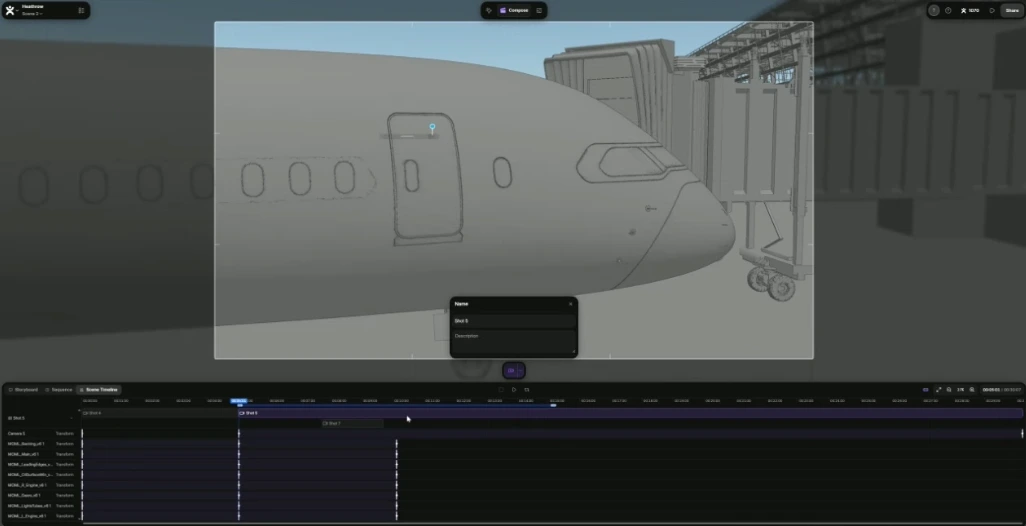
Intangible entered Chris’s workflow after the aircraft preparation. He brings in the model, establishes the shot, and supplies reference images for the aircraft’s appearance and its surroundings. Simple geometry and visual references give the AI something specific to work from, whether that is a terminal, a jet bridge, or the ground beneath the aircraft.

He can place and move assets in a 3D scene, animate the aircraft and camera, and build out the environment around them. The process feels familiar to someone who has spent years working in Maya. For Chris, the difference is how quickly he can get to a presentable setting.

Chris reviews the work as marketing imagery. Some outputs need correction: materials, lighting, and perspective do not always come back as intended. He may move between tools, composite, or retouch an output. Intangible also gives him lighting ideas that he can carry back into the rest of his work.

01 THE 3D SCENE
Chris’s Intangible project showing a gray 3D aircraft model, terminal, camera framing, and animation timeline.
Chris directs the camera and aircraft inside the Heathrow project.
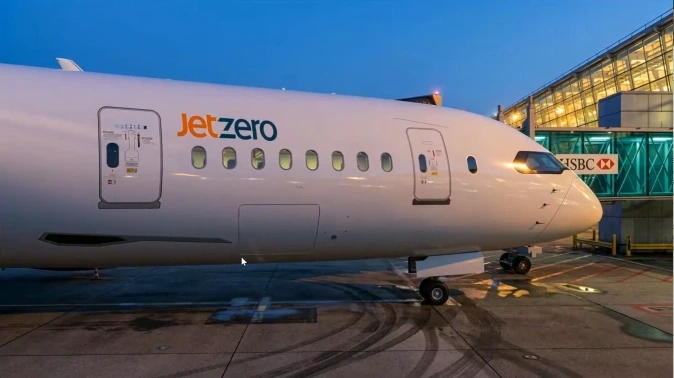
02 THE RENDERED SHOT
A rendered JetZero aircraft at an airport gate in blue-hour light.
An output from the gate sequence he demonstrated. A different frame from the same project.

Stills from Chris’s screen share. His workflow includes review, compositing, and retouching when needed.

03 / THE WORK

A new aircraft calls for
many kinds of images.

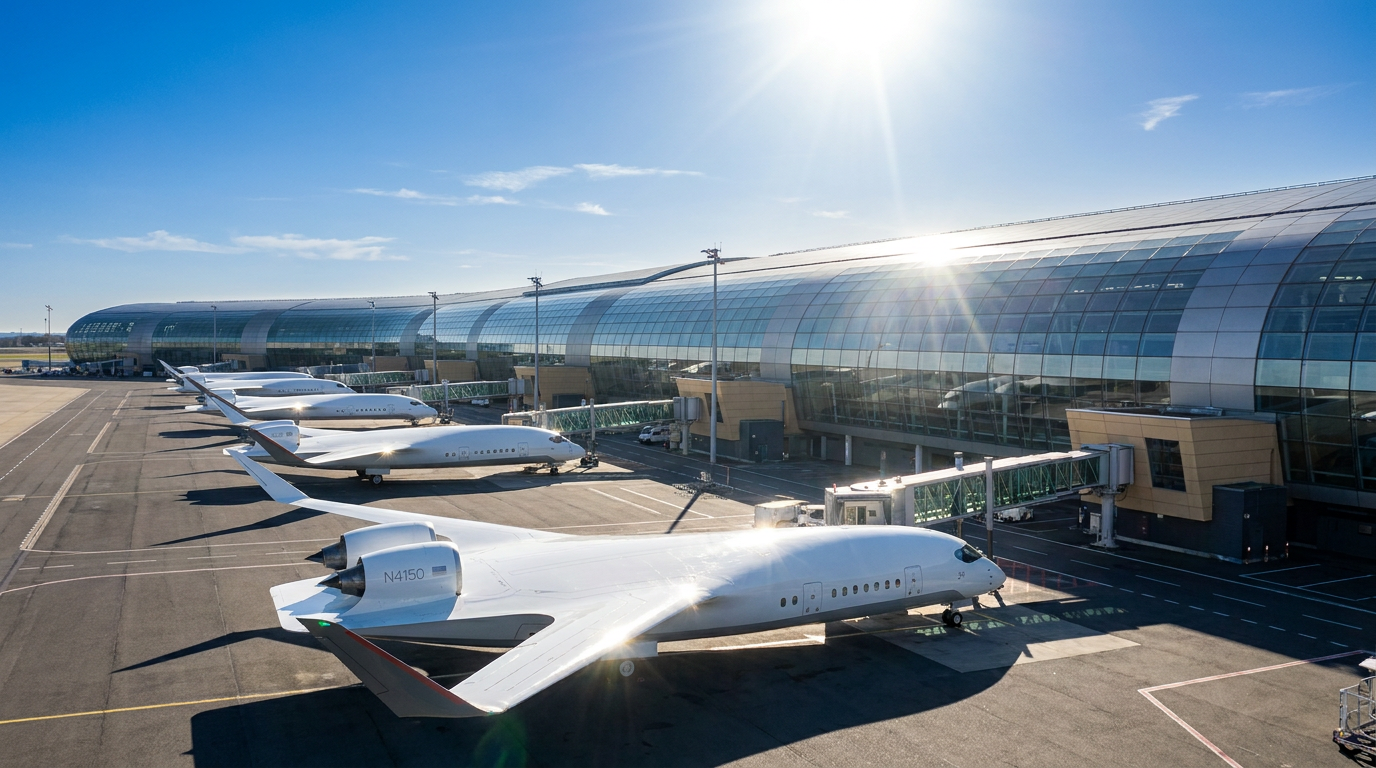
A concept rendering of unbranded blended-wing aircraft parked along an airport terminal.
Airport concept · Unbranded aircraft
01

Airline pitches, set in a familiar world

Chris showed aircraft at Charles de Gaulle and described work across Heathrow, Denver, and other airports. These settings let prospective airlines see JetZero’s aircraft in a place they know, with the appearance tailored to the pitch. With the aircraft prepared and an airport model already available, he estimated that the Charles de Gaulle work took a couple of days instead of the weeks he would expect from a traditional workflow.

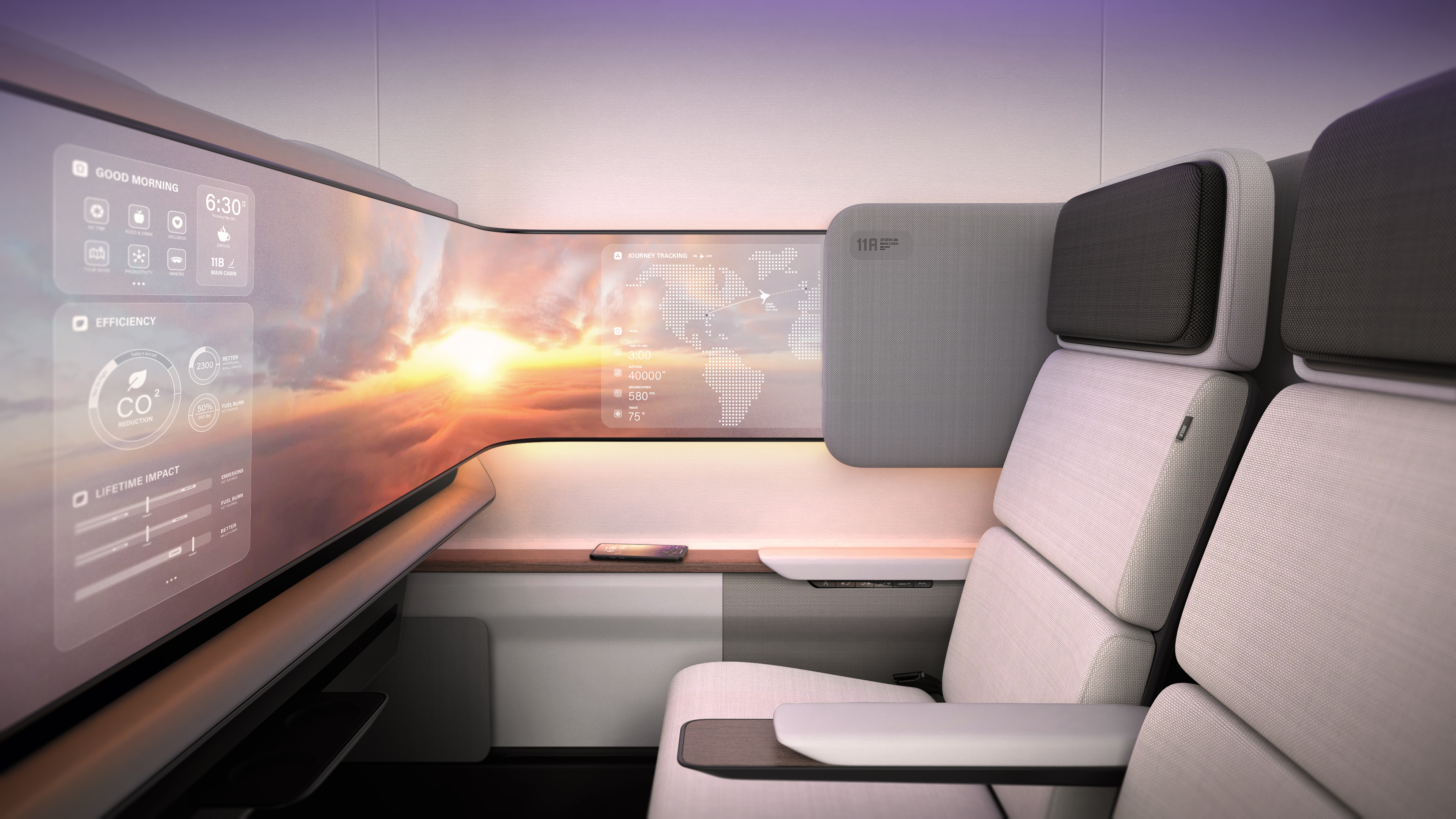
A JetZero cabin concept with two seats beside a wraparound display showing a sunset and journey information.
Illustrative cabin concept · Supplied by JetZero
02

A cabin concept people can respond to

For an airline pitch, Chris created a premium-cabin concept in Intangible and retouched the image. He could explore the windows, wood placement, and carpet, making those choices visible. He also showed a slow seat animation, while noting that this particular animation was not used.

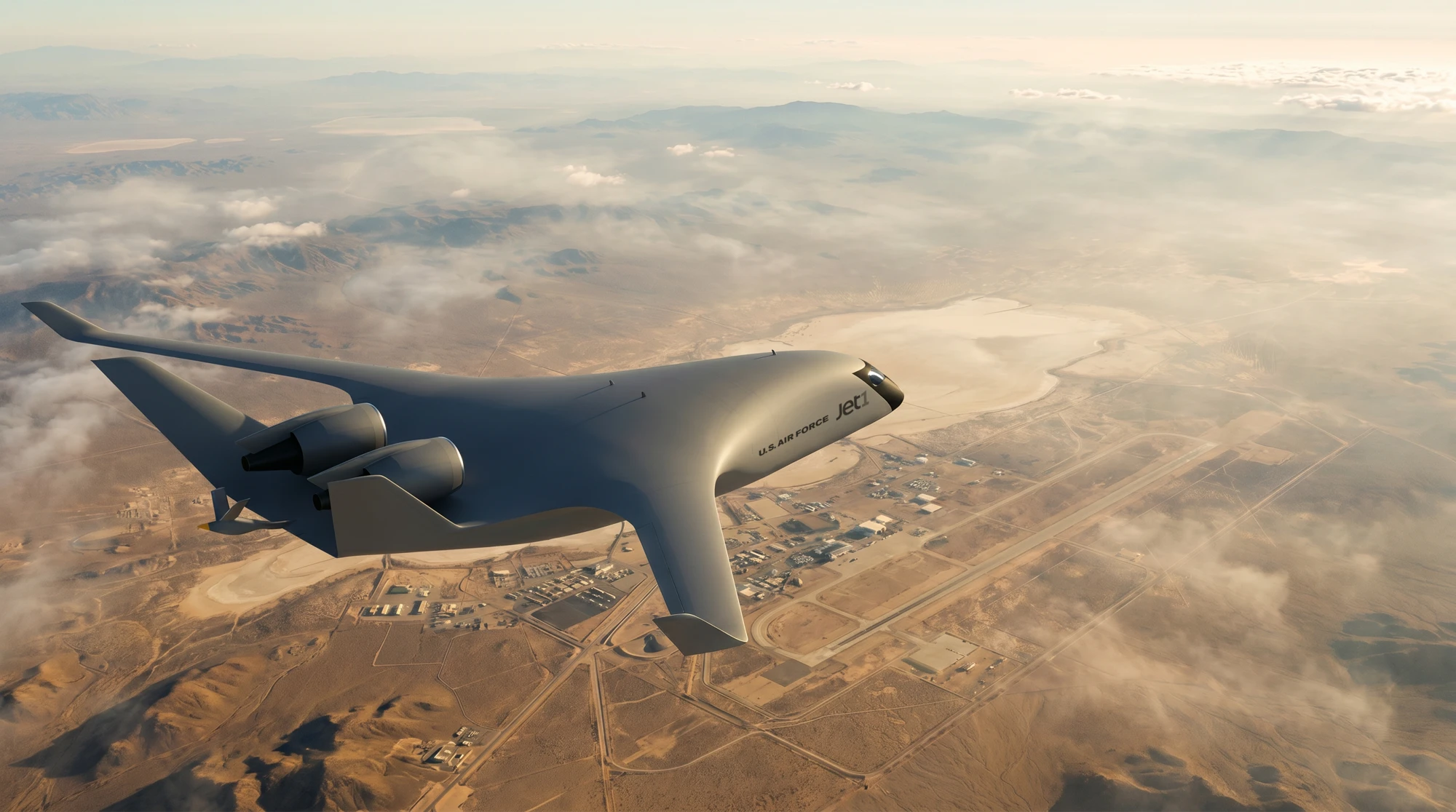
A rendering of JetZero’s Jet1 demonstrator above the Mojave desert.
Jet1 demonstrator · Concept rendering, not flight footage
03

The demonstrator, seen in motion

Chris showed flight imagery and animations of JetZero’s Jet1 demonstrator, including a Mojave scene. These gave the team a way to show an aircraft still being built. The scenes depict the demonstrator in flight as a visualization, rather than footage of a real flight.

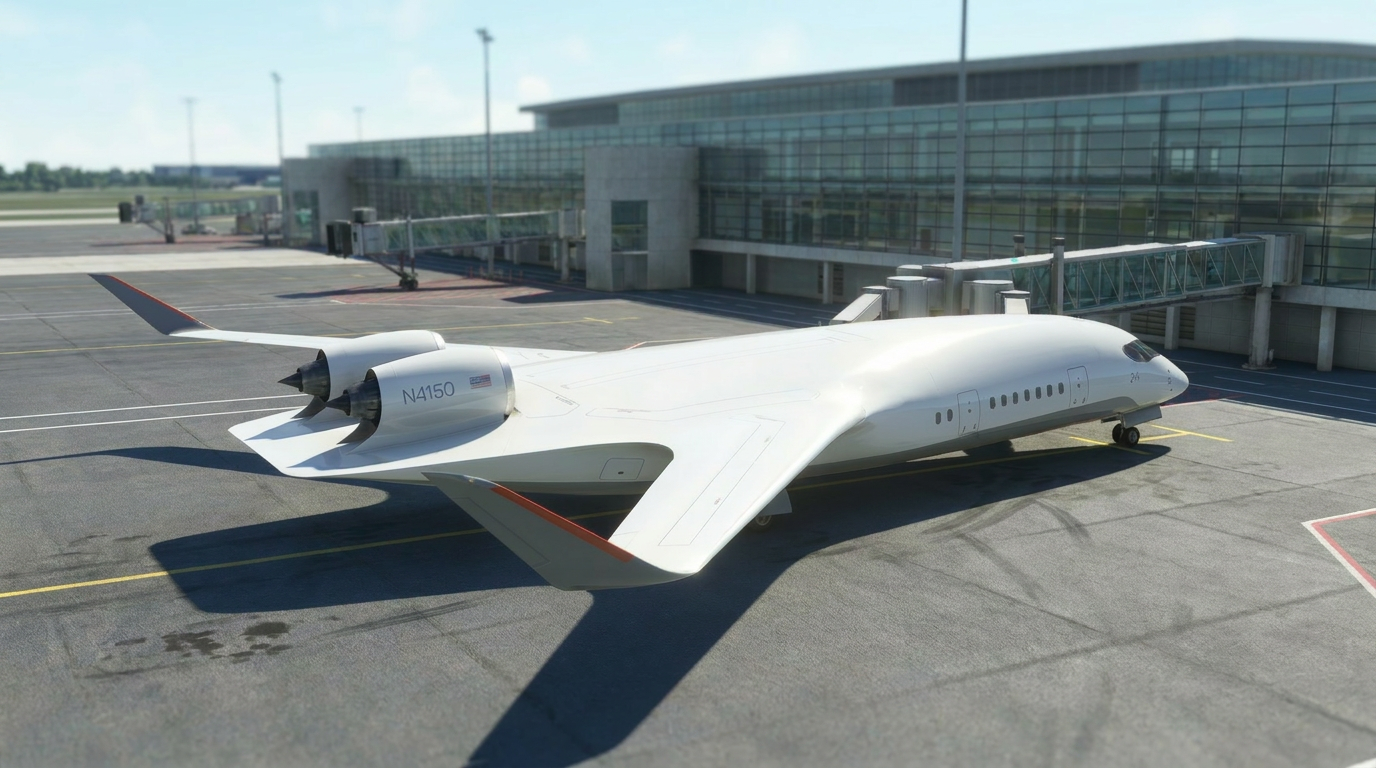
A concept rendering of an unbranded blended-wing aircraft parked beside a terminal and jet bridge.
Airport-gate concept · Unbranded aircraft
04

The aircraft at the gate

In more recent work, Chris animated both the camera and the aircraft in airport scenes. He then opened the underlying Intangible project, showing the 3D scene and image references behind the output. The work starts with objects he can place and a shot he can direct. Chris described this imagery as part of an investor presentation that would combine rendered work with live-action footage and interviews.

More of the work
made the deadline.

The change was bigger than a shorter render queue. Chris says some of the work he had produced with Intangible would not have been made through his traditional process in the time available. The team would have had fewer deliverables to take into its conversations.

“There wouldn’t have been enough time. We wouldn’t have made the deadlines that we needed to make.”

Chris Henderson 3D Designer, JetZero

That matters in a pitch. Chris can put a realistic image in front of the team quickly, gather feedback, and keep working toward the final presentation. The image gives people something specific to respond to while there is still time to change it.

He is clear about where he wants more control next: finer material choices and a consistent look across a sequence of cinematic shots. He also sees a future role for this work in internal cabin-design discussions as the interior develops.

Today, the value is already visible in the work: an airline’s colors on the aircraft, a terminal around it, an animation that puts it in flight. Each gives JetZero another way to show people what it is building.

YOUR NEXT PROJECT

Put your own product
in the picture.

Bring your model, choose the setting, and start directing your next image in Intangible.